


Your Ultimate AI Study Workspace
Azviq is an all-in-one platform featuring AI-powered note-taking, smart task tracking, instant quiz generation, and automated revision schedules. Everything you need to master your studies, in one unified desk workspace.
Productivity companion
Time management apps, custom study message, Pomodoro focus timer.
AI & Integration
Personal AI study librarian, connection to PDFs and notes, integrations with calendar events.
Student friendly
Open dashboard, heatmap tracking, simple visual stats, no vendor lock-in.
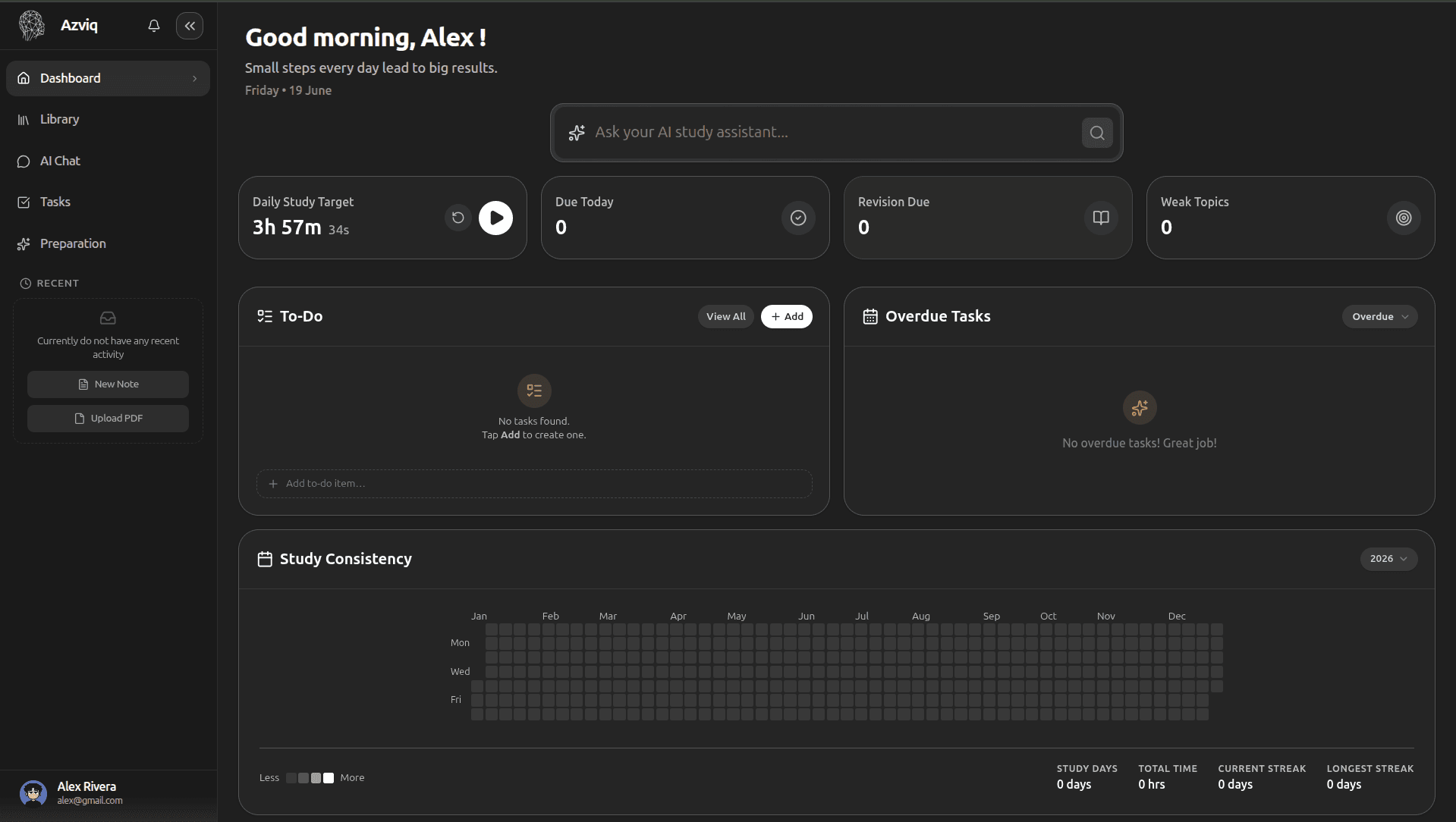
Your Study Command Center
A beautiful, distraction-free dashboard
Monitor your daily study streaks, manage active tasks, launch quick Pomodoro timers, and access your notes and AI tutor instantly from one unified workspace.
Dashboard Feature 01
AI Focus Stats & Timer
Track active revision session durations with built-in Pomodoro timing and view urgent study indicators. Stay hyper-focused by segmenting study blocks, filtering distractions, and prioritizing immediate learning goals directly on your dashboard.
Integrated Pomodoro Timer
Set standard 25-minute focus intervals or customize your study-to-break durations to optimize retention and fight screen fatigue.
Urgent Action Alerts
Stay updated with live prompts highlighting tasks due in the next 24 hours alongside critical notes containing weak topic areas.
Dashboard Feature 02
Daily Tasks & To-Do List
Manage daily educational requirements and mark tasks complete with custom workspace badges. Keep your schedule organized, assign priorities to different topics, and coordinate all study checklists from one clean view.
Workspace Badge Tags
Know exactly where each task lives. Easily sort items belonging to your Library, note-taking pages, quizzes, or collaborative Kanban boards.
Quick Complete Actions
Check tasks off instantly with immediate updates that dynamically recalculate your weekly progress metrics and streak counts.
Dashboard Feature 03
Study Consistency & Streaks
Monitor study consistency parameters, streak durations, and overall learning hours. Build healthy habits with visual streak lines, heatmaps, and achievements that celebrate your progress.
Weekly Streak Maps
Visualize your weekly and monthly study patterns on a mini grid. Keep your fire indicators active by studying a minimum duration every day.
Historical Performance Metrics
Analyze parameters including Total Study Days, Total Hours accumulated, Current active streak counts, and your all-time Longest Streak record.
Dashboard Feature 04
AI Suggestions & Recommendations
Get tailored revision directions based on weak topics, previous quiz scores, and spaced repetition schedules. The AI analyzes your quiz performance to automatically recommend notes that need review.
Weak Topic Warnings
Receive immediate feedback showing subject areas where your test score fell below target, helping you fix comprehension gaps before exams.
Spaced Repetition Prompts
Get automated alerts suggesting revision or card practice for specific subjects that are starting to fade from your active memory.
Feature 01
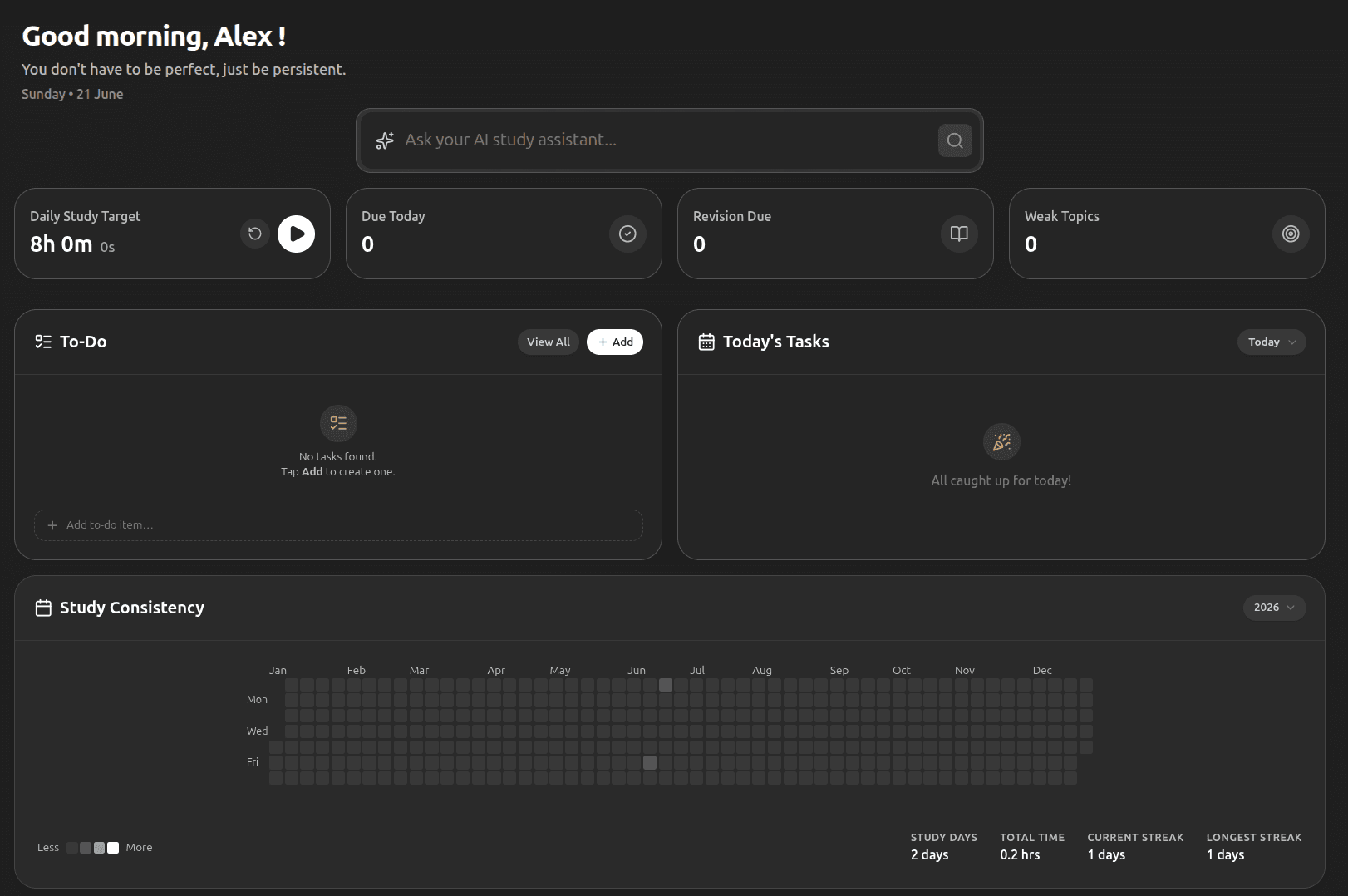
Your Complete Study Library
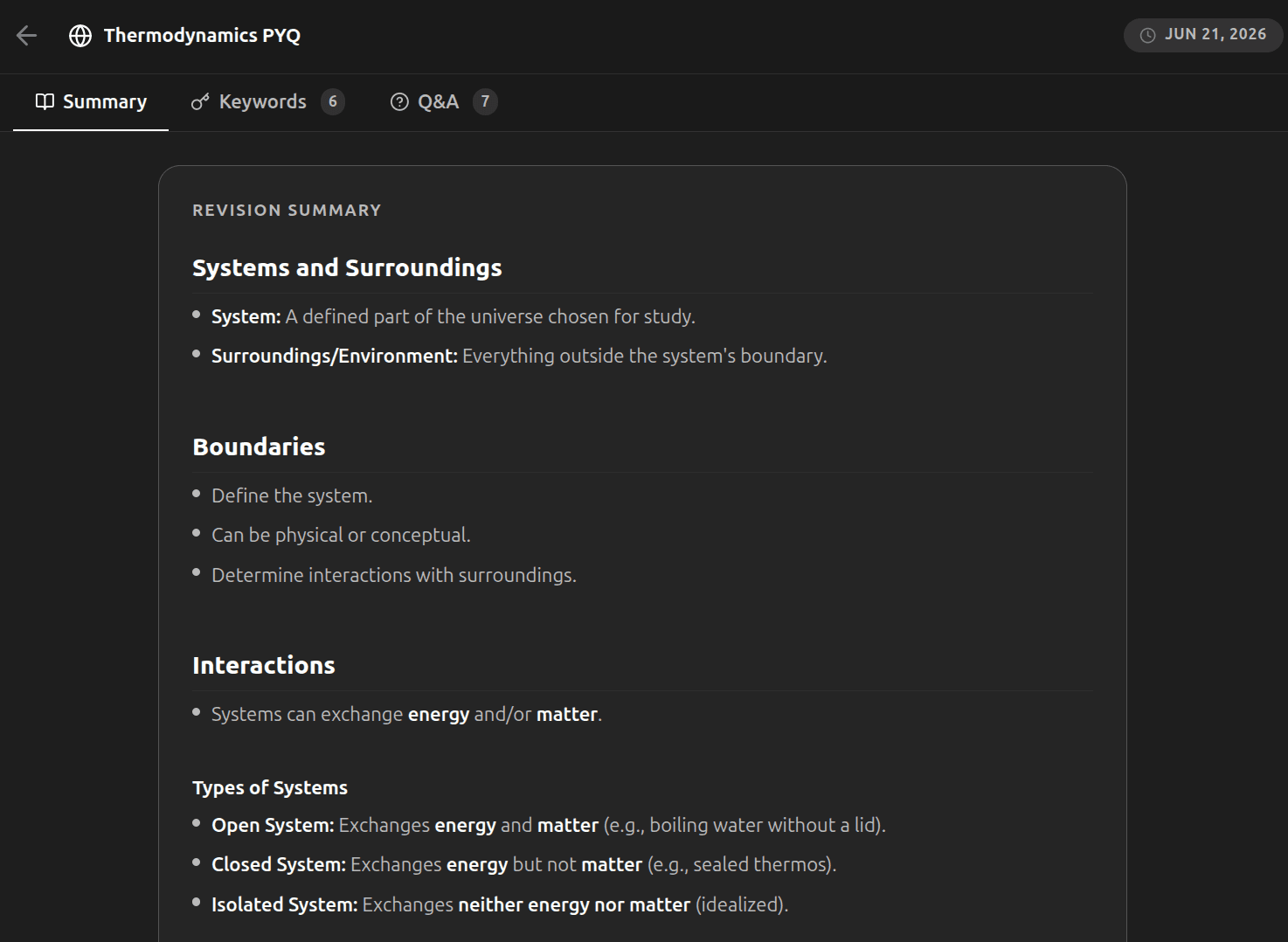
A centralized hub for all your academic resources. Organize your semesters, subjects, and study materials in one intuitive, unified space. Keep track of lecture handouts, syllabus sheets, and dynamic resources with an automated classification system.
Smart Semester Folders
Group notes, quizzes, and tasks by class, major topic, or exam. Keep all related files clustered together so you never lose track of your resources throughout the semester.
Instant Access Sidebar
Pin active courses and revision modules for one-click access. Navigate through extensive directories and files instantly without complex path search steps.
Feature 02
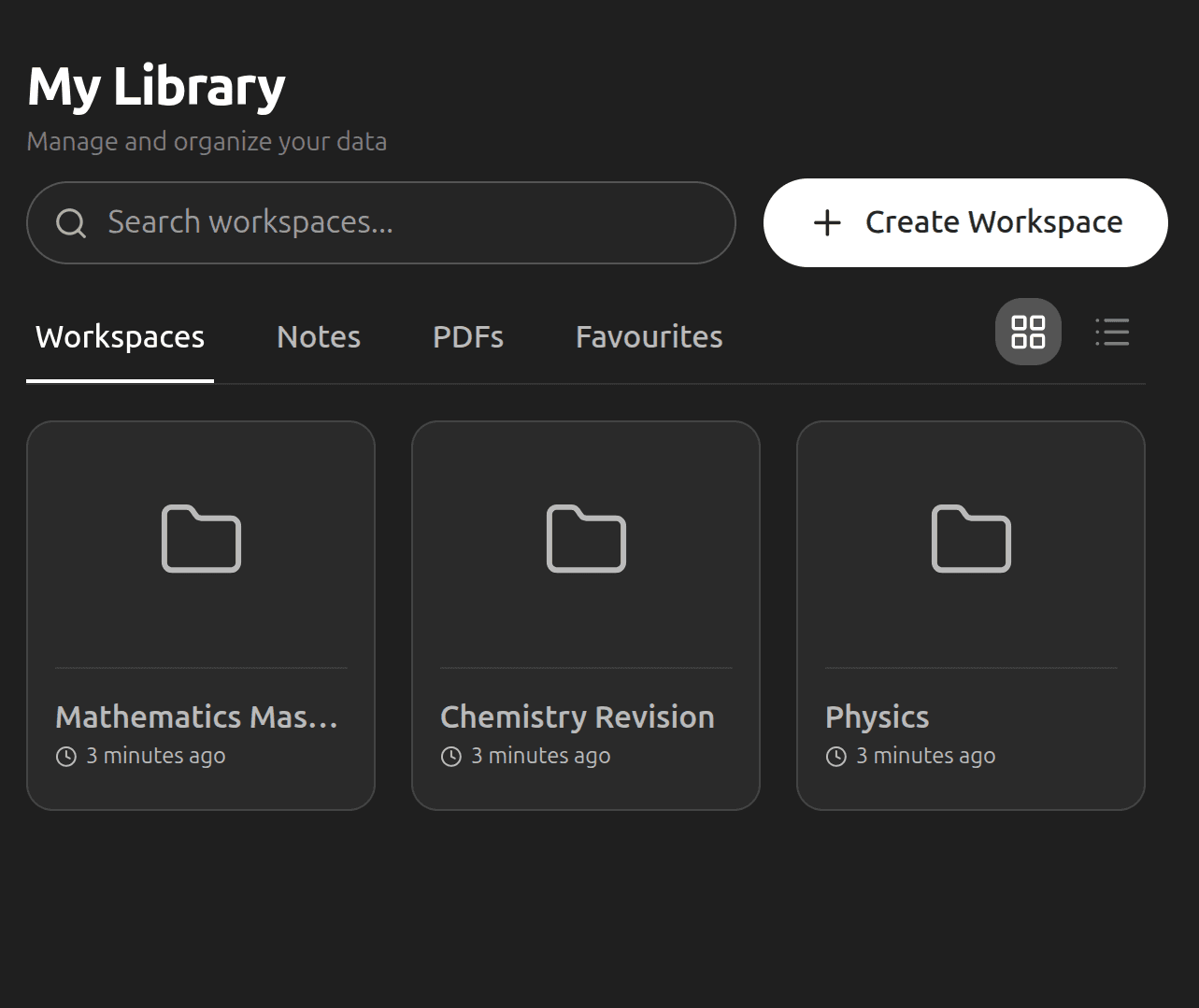
AI-Powered Notes
Take smart notes that understand your context. Generate summaries, ask questions directly from your notes, and turn concepts into flashcards instantly. Real-time editor features allow you to construct study documents with continuous AI assistance.
Press Space for AI
SpaceSummon the AI assistant on a new line to write, edit, or brainstorm. It reads the whole page's context to draft text in your writing style, continuing arguments or introducing examples.
Smart Selection Menu
Highlight text to instantly Summarize dense content, Explain complex concepts, or Simplify academic jargon into clear, plain language without changing tabs.
Feature 03
Interactive PDF Reader
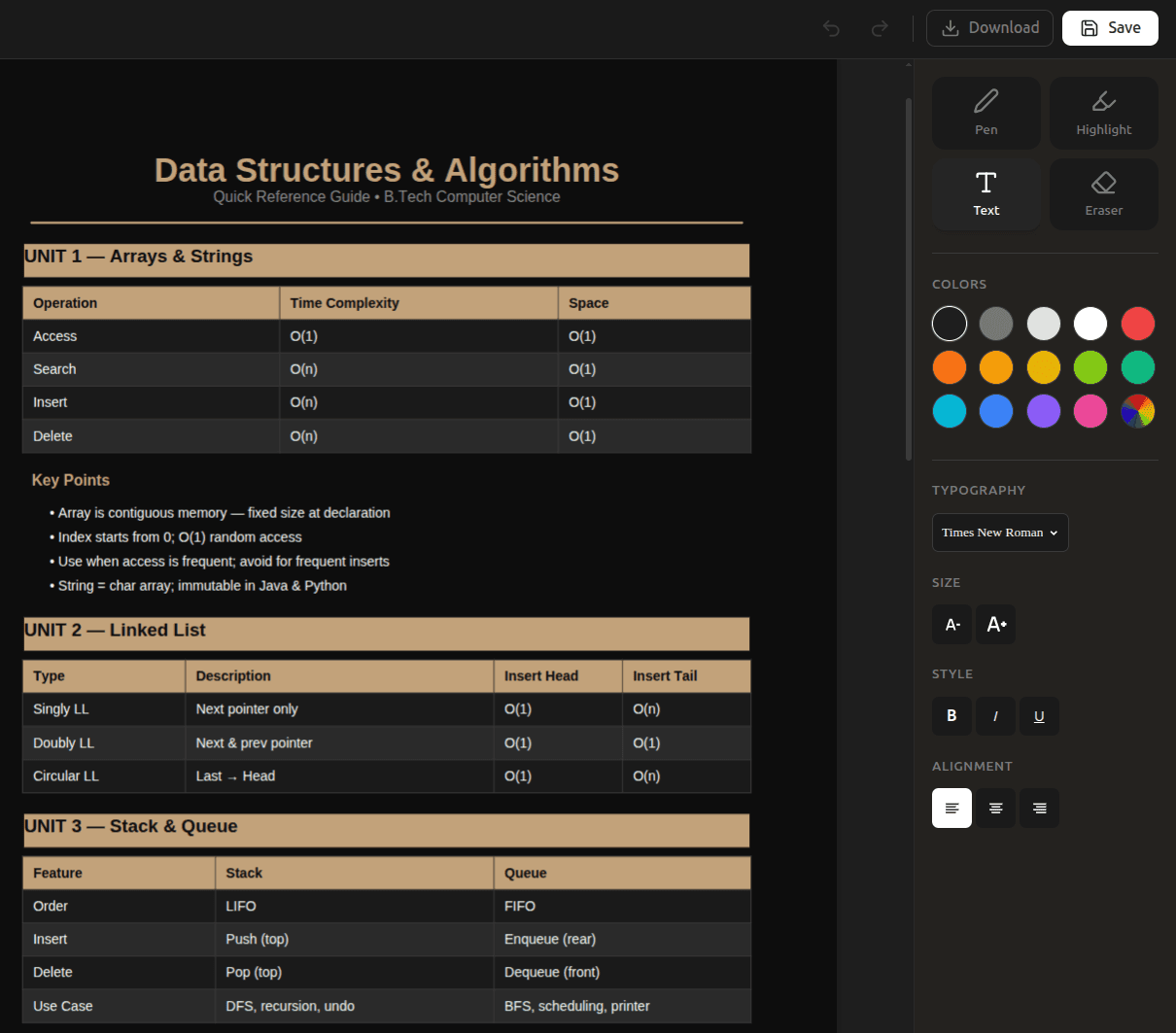
Read, annotate, and mark up your study materials directly inside the app. Highlight key paragraphs, sketch on diagrams, and add comment boxes on lecture notes, research papers, or textbooks to enhance your learning experience.
Draw & Markup Canvas
Draw custom arrows, highlight diagrams, sketch visual shapes, and scribble hand-written annotations directly onto lecture slides and textbook layouts.
Highlight & Text Overlay
Color-code key terms with multiple highlighter shades, and overlay text comment boxes directly onto complex textbook diagrams for easy review later.
AI Feature 01
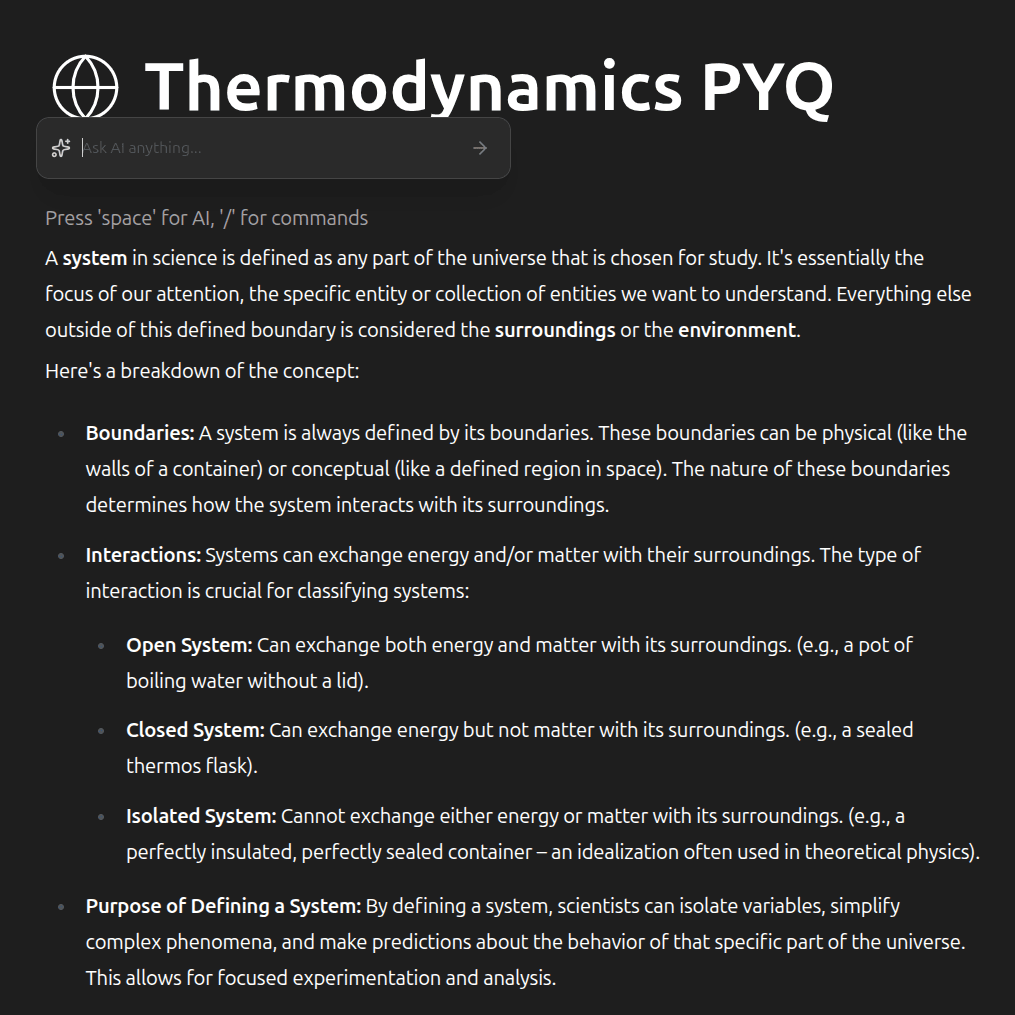
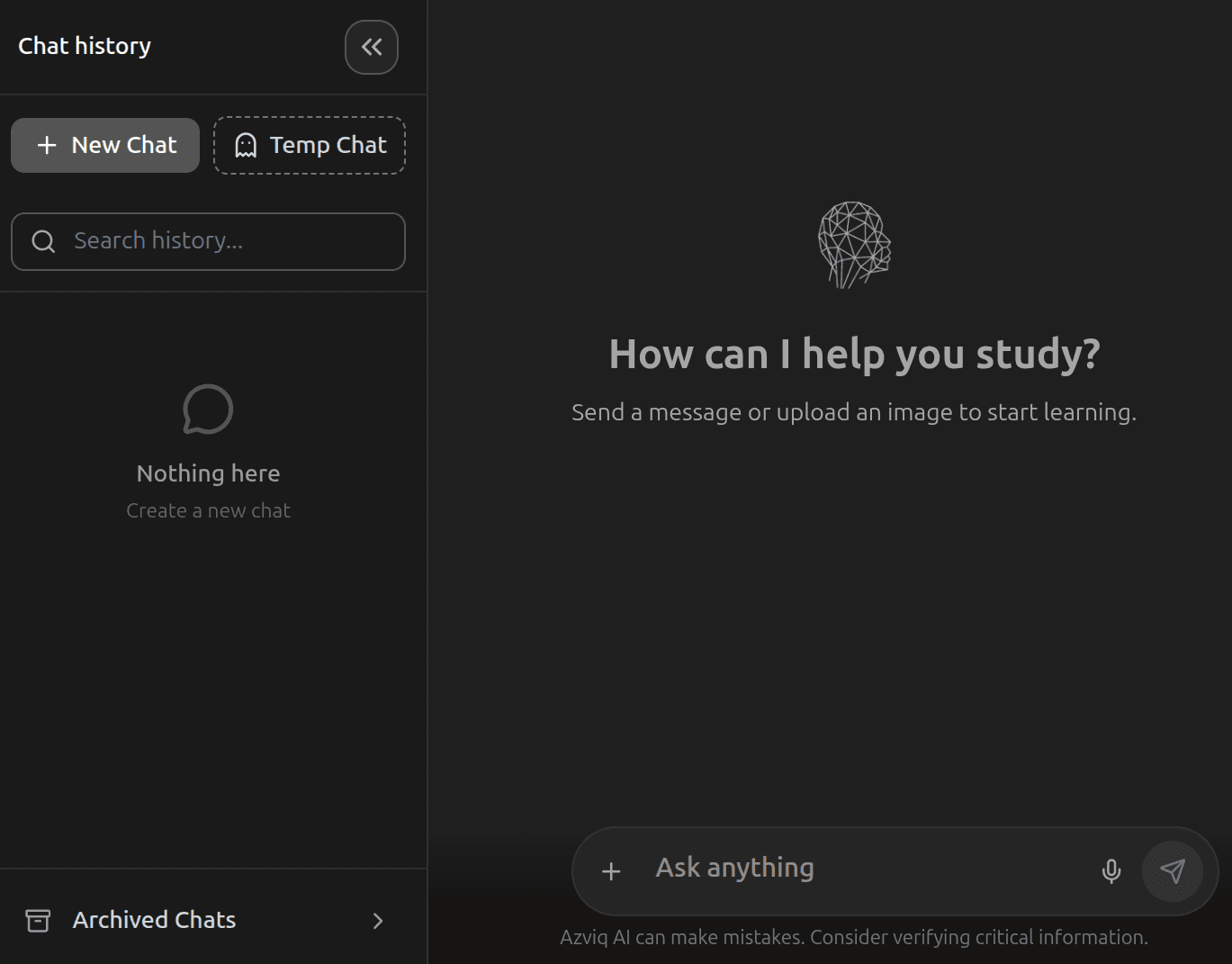
New Chat, Fresh Context
Start a clean conversation at any time. Every new chat is fully isolated — your AI starts fresh without any leftover context from previous sessions.
Isolated Session Memory
Each chat is its own bubble. Switch topics freely without the AI getting confused by previous conversations.
Chat History Sidebar
All your past conversations are listed and searchable. Revisit any previous session in one click.
AI Feature 02
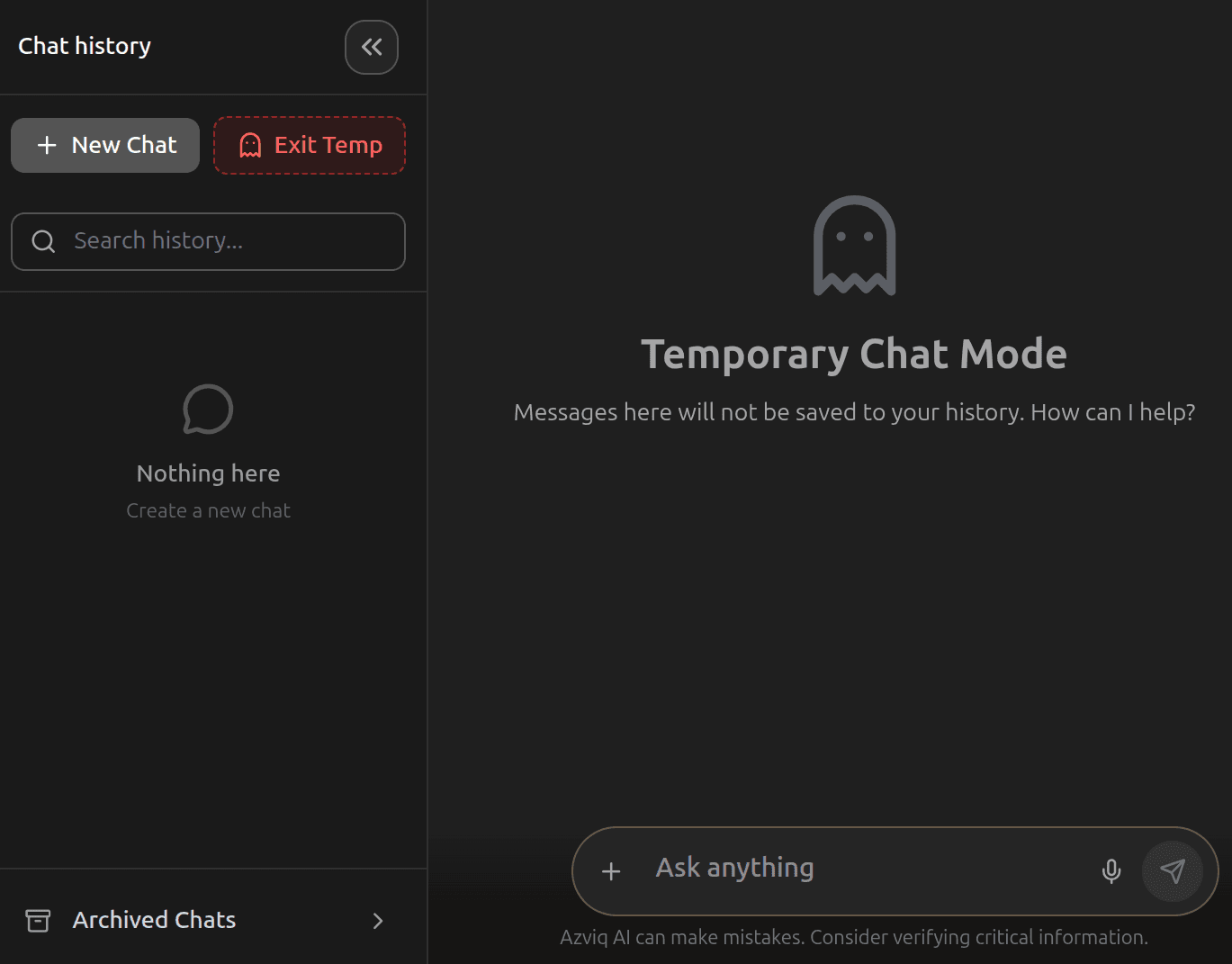
Temporary Private Chat
Need a quick, private lookup? Temporary chats are never stored — perfect for sensitive topics, quick calculations, or anything you don't want saved.
Never Saved to History
Temporary sessions vanish the moment you close them. No logs, no traces left behind.
Instant Disposable Sessions
Start a temp chat from the toolbar in one click. No setup, no naming — just ask and go.
AI Feature 03
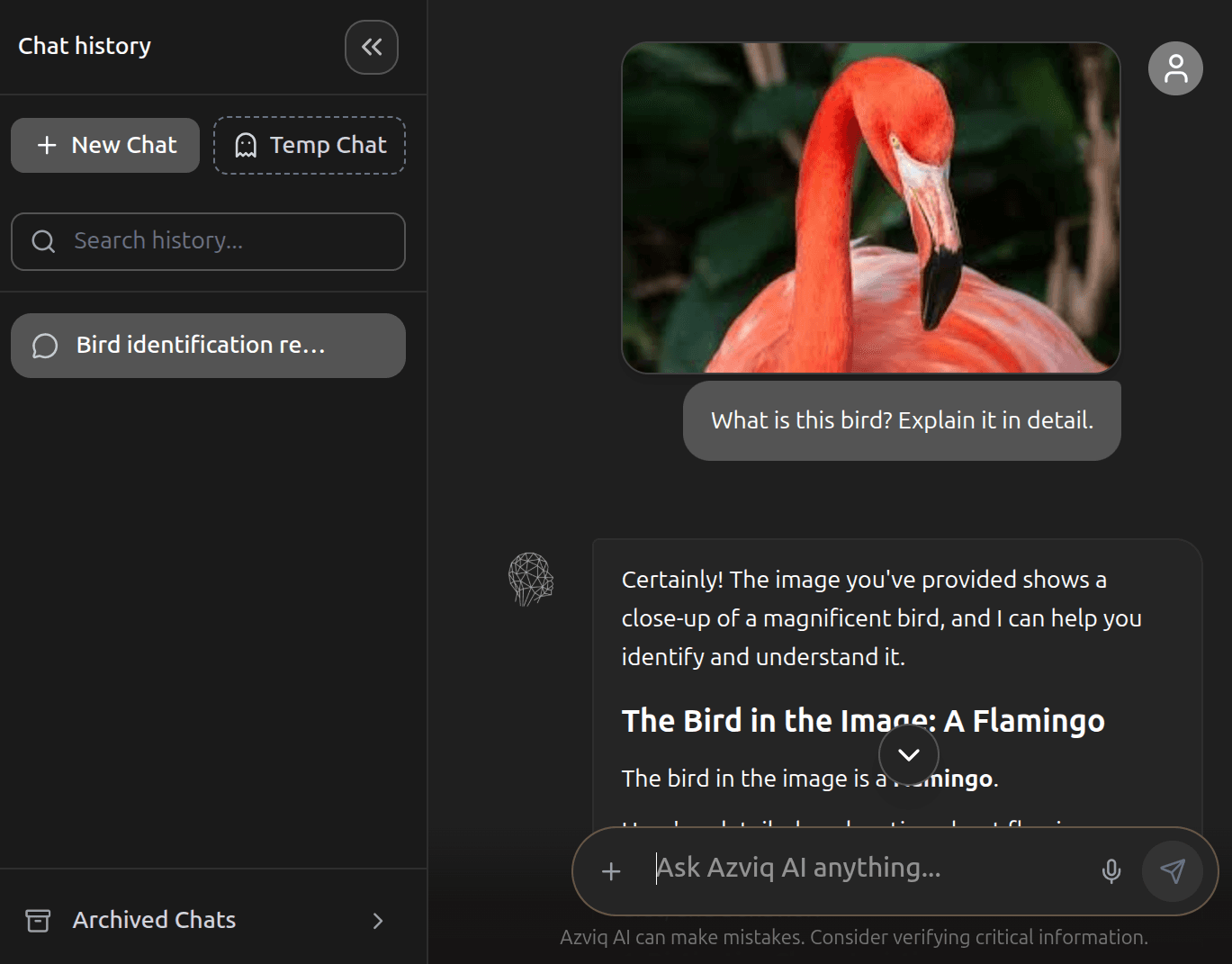
Image Upload & Visual Q&A
Snap a photo of a whiteboard, a handwritten equation, or a textbook diagram and drop it into the chat. The AI reads the image and answers your questions instantly.
Diagram & Photo Analysis
Upload lecture slides, biology diagrams, or circuit schematics. The AI identifies, labels, and explains every element.
Handwriting Recognition
Wrote your notes by hand? Photograph them and ask the AI to explain, translate, or expand on what you wrote.
AI Feature 04
Share Chat with Classmates
Found a helpful AI explanation? Share the read-only conversation thread with anyone via a clean, simple link. Perfect for study groups, peer review, and quick references.
One-Click Share Link
Generate a shareable URL for any conversation. Anyone with the link can read the full Q&A thread.
One-Click Import
Anyone with the link can import the shared conversation thread directly into their own workspace with a single click.
Feature 01
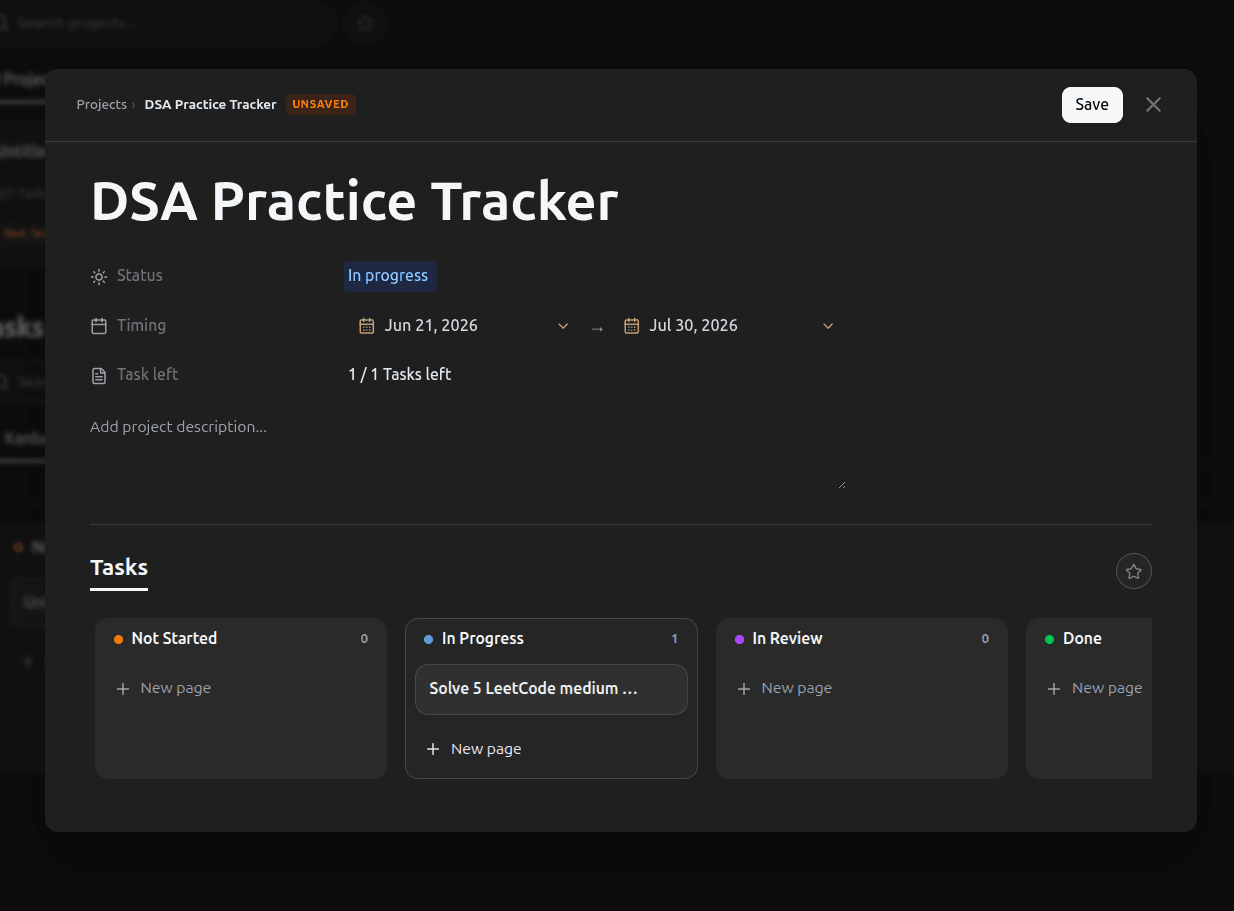
Sleek Project Management
Create dedicated workspaces for each subject, semester, or major exam. Group your resources, notes, and tasks in structured, distraction-free dashboards. Set high-level research targets and track long-term academic achievements efficiently.
Dedicated Course Hubs
Build independent spaces for exams, finals, or individual subjects. Keep your timeline, notes library, and revision schedule isolated and hyper-focused.
Linked Study Materials
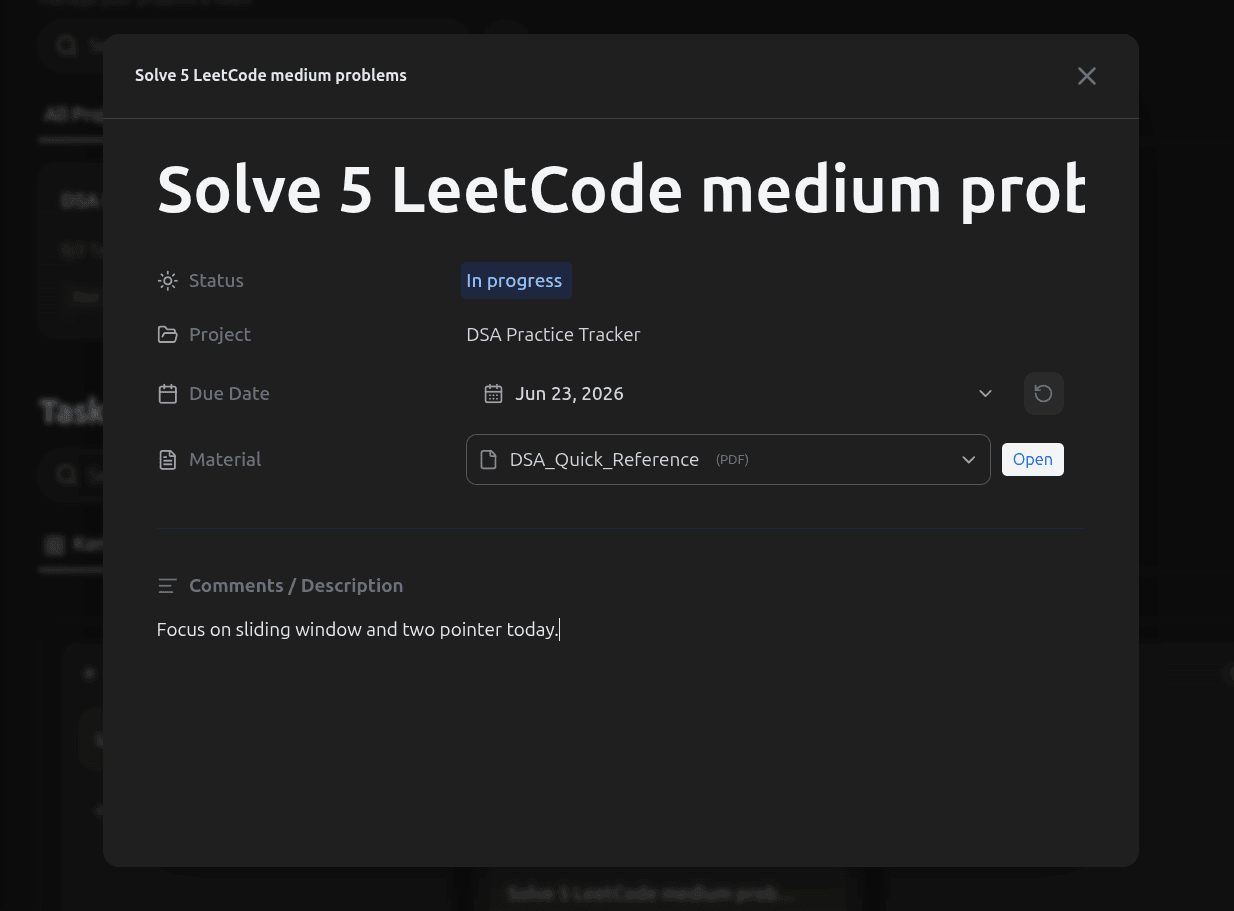
Attach lecture notes, textbook PDFs, reference web links, and checklists directly into your workspace cards to access resources in one click.
Feature 02
Intelligent Task Tracking
Stay organized with our visual Kanban board. Easily prioritize tasks, track progress from 'Not Started' to 'Completed', and set automatic study deadlines. Keep your workflow moving forward and monitor outstanding checklist items easily.
Drag & Drop Kanban
DragMove cards seamlessly across status columns (Not Started, In Progress, Review, Completed) to track your study flow and match your current focus.
Deadlines & Milestones
Set target dates and reminders. Get visual status warnings when exam days, homework submissions, or project reviews are approaching.
Feature 01
Adaptive Practice Exercises
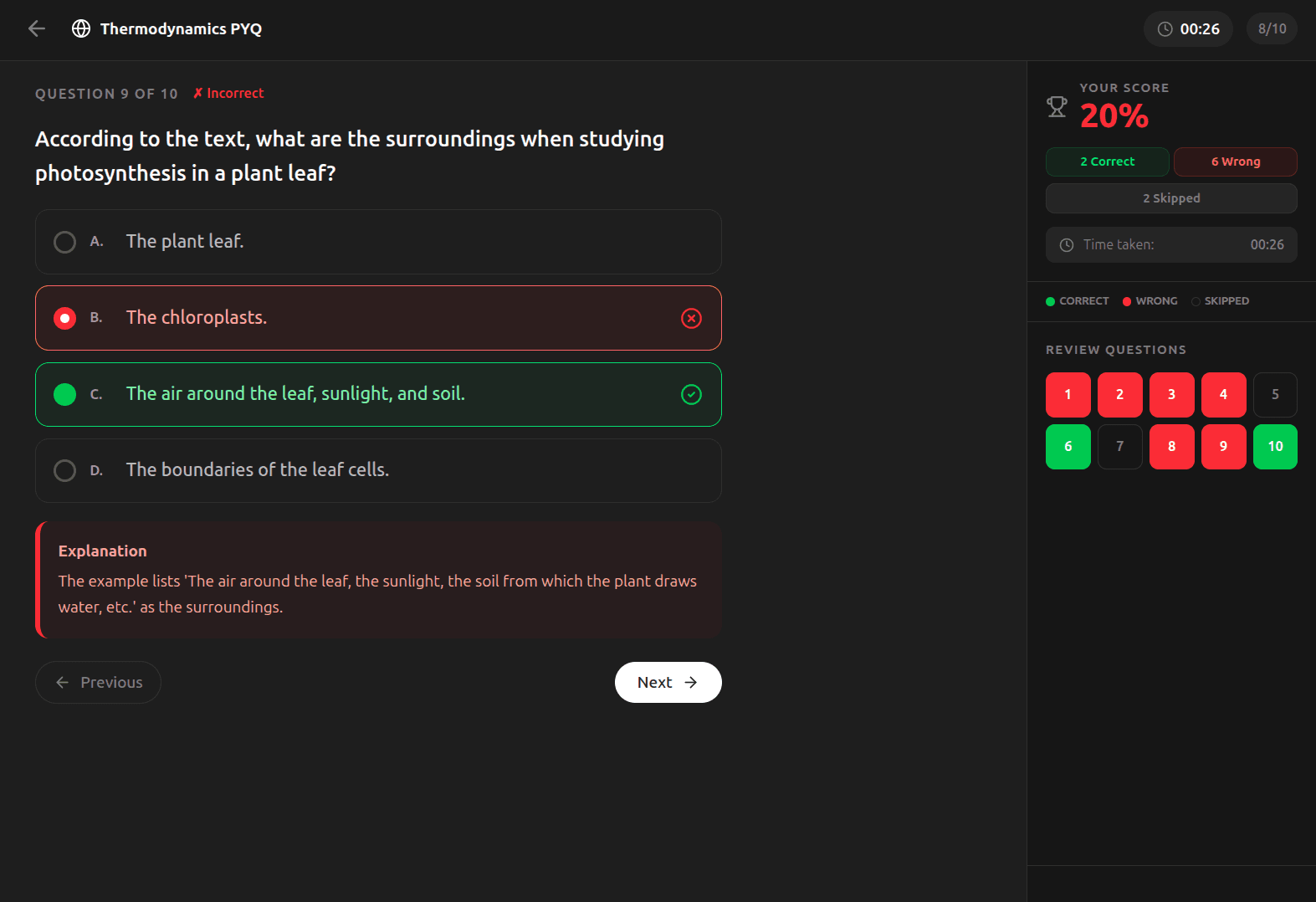
Test your understanding with custom quizzes. Turn your uploaded lecture slides and notes into structured exercises that adapt to your knowledge level. Build confidence by practicing with tailored question banks before your exams.
AI-Generated Quizzes
AI QuizConvert text or documents into multiple-choice, true/false, or short-answer practice questions instantly based on page details.
Step-by-Step Explanations
Don't just see the score. Get deep contextual feedback explaining the rationale behind every correct and incorrect answer choice.
Feature 02
Smart Revision Tools
Stop passive reading. Use active recall and spaced repetition to lock in core definitions, equations, and formulas right before exams. Automatically optimize review schedules based on cognitive memory retention algorithms.
Spaced Repetition Cards
Smart CardsStudy flashcards generated automatically from your textbook readings, timed perfectly to prevent forgetting and boost long-term retention.
Key-Concept Cheatsheets
Access condensed, high-yield summary guides that distill complex chapters into clear learning bullets and formula lists for fast reviews.
Feature 03
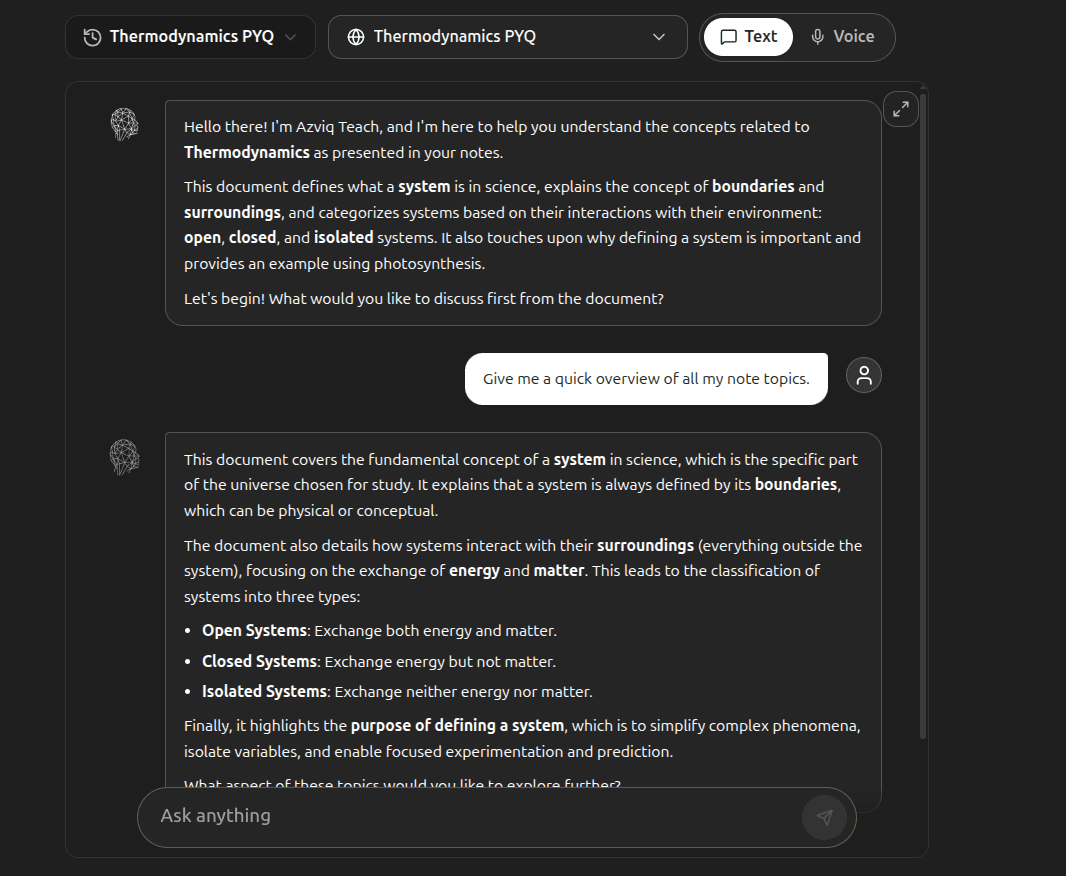
Interactive AI Teacher
Learn directly from your custom study materials. Select specific text, a note page, or a PDF chapter and talk, ask questions, or discuss with the AI. Have a virtual assistant teach you complex slides in real time.
Contextual PDF & Note Select
SelectedPoint the AI to the exact paragraph or page block. Keep your conversation focused solely on the selected notes or textbook slide reference.
Conversational Topic Mastery
Ask the AI teacher to explain complex paragraphs, challenge you with flash questions, or test your logic interactively for study review.
Data Control 01
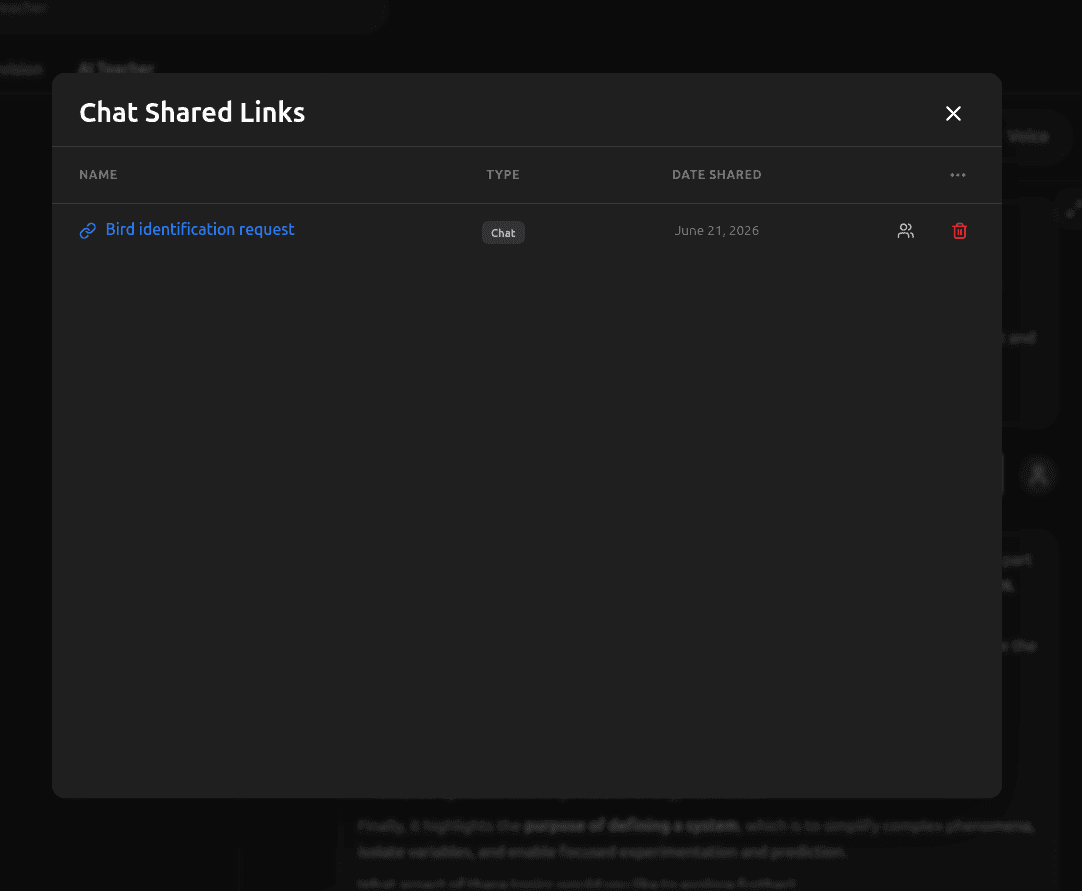
Shared Link Access Control
Audit, review, and revoke access permissions for public chat threads and note files instantly to protect your academic property. Restrict link availability and ensure shared materials are only accessible by authorized peers.
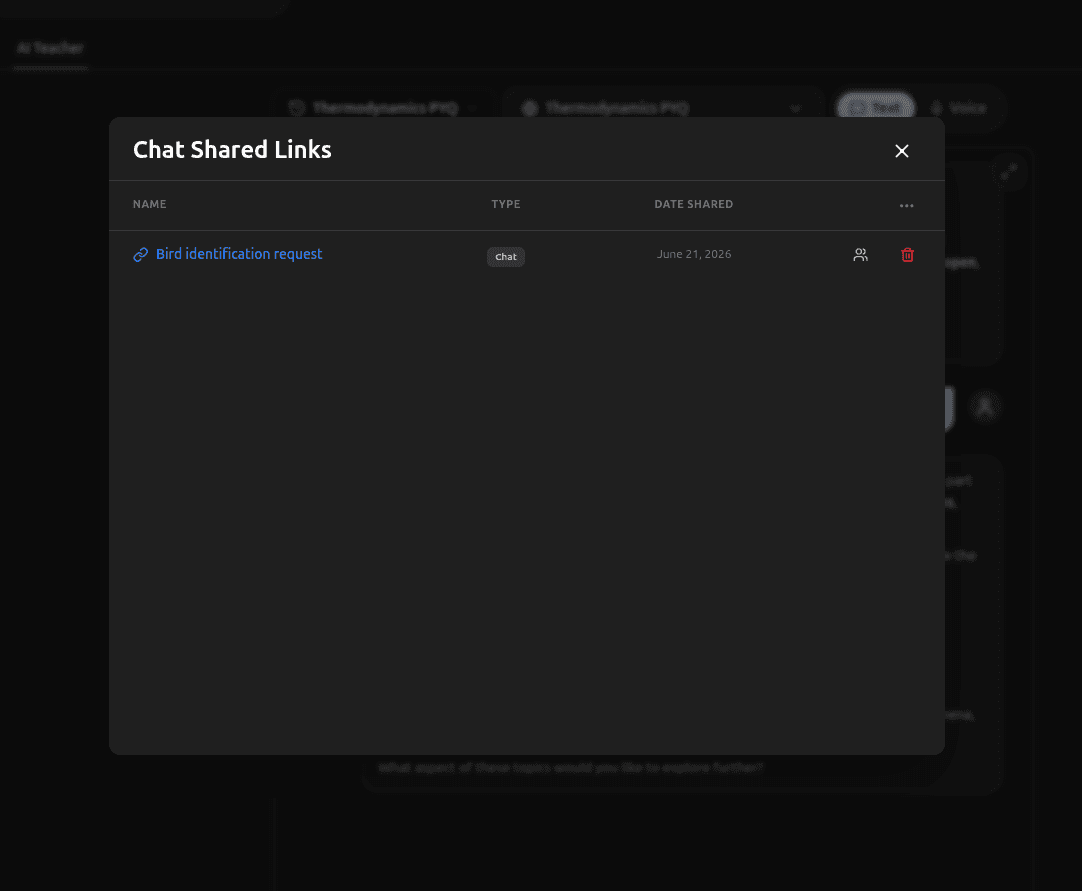
Chat Shared Links
Audit active web links generated for your chats. Instantly revoke shared public URLs for your AI conversation history to disable browser access.
Note Shared Links
Monitor password protections, expiration dates, and edit permissions for collaborative student notebook sheets and documentation folders.
Data Control 02
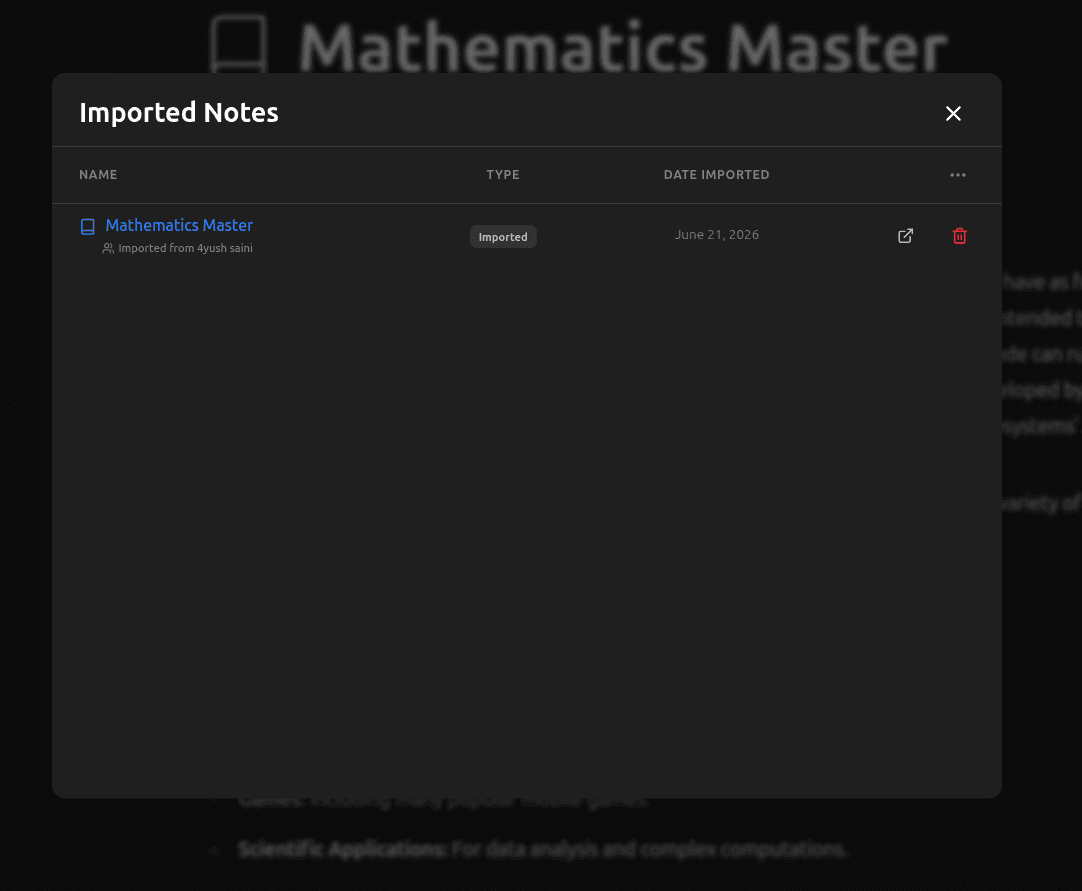
Imported Files & Chats
Control materials synchronized from external note-taking tools, document repositories, and PDF libraries. Keep your primary folders clean and free of redundant draft pages or duplicate uploads.
Imported Chats History
Review or delete raw prompt datasets, markdown logs, and history files imported from secondary study workspaces and external platforms.
Imported Notes Archive
Purge heavy textbooks, slide resources, scanned PDFs, and imported text pages transferred into your cloud and local storage database.
Data Control 03
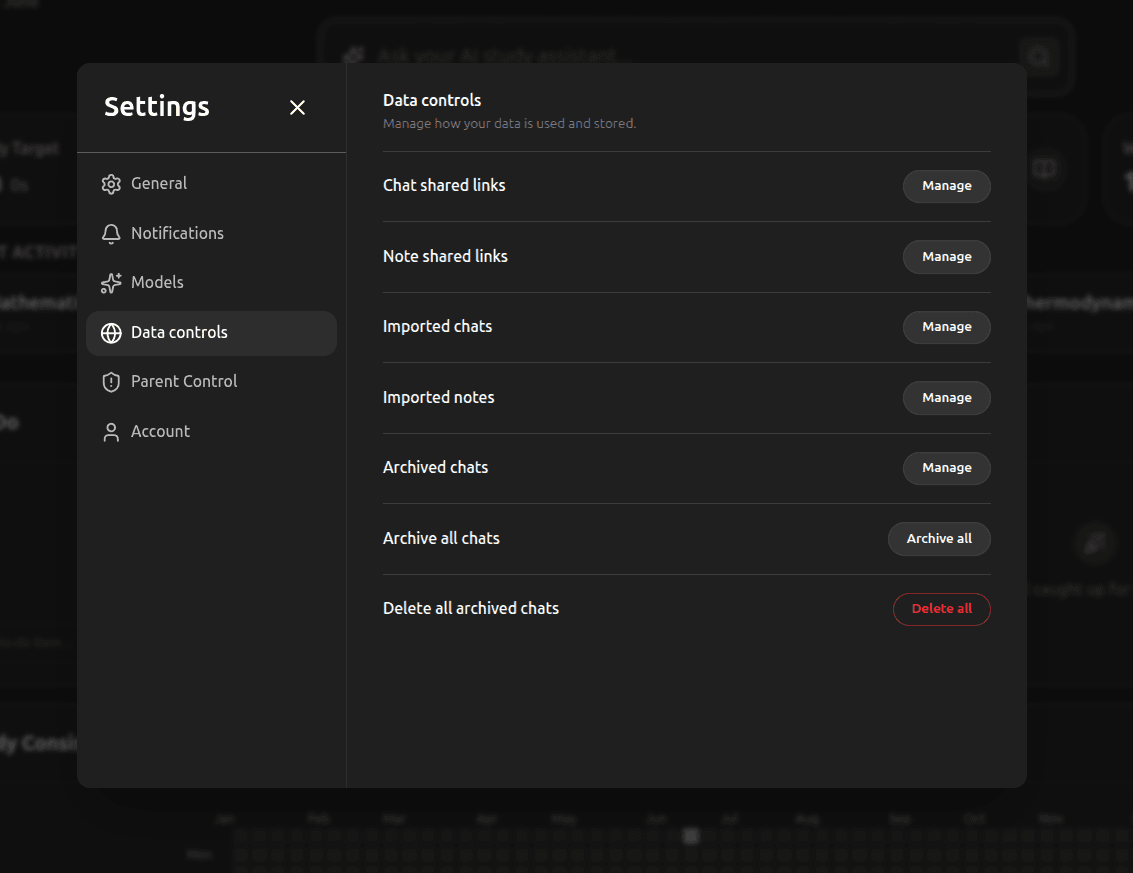
Archive Workspace Dialogs
Hide inactive threads from your central sidebar list or run bulk operations to reset your focus area. Archiving allows you to clean up old courses while retaining reviewable data for exam prep.
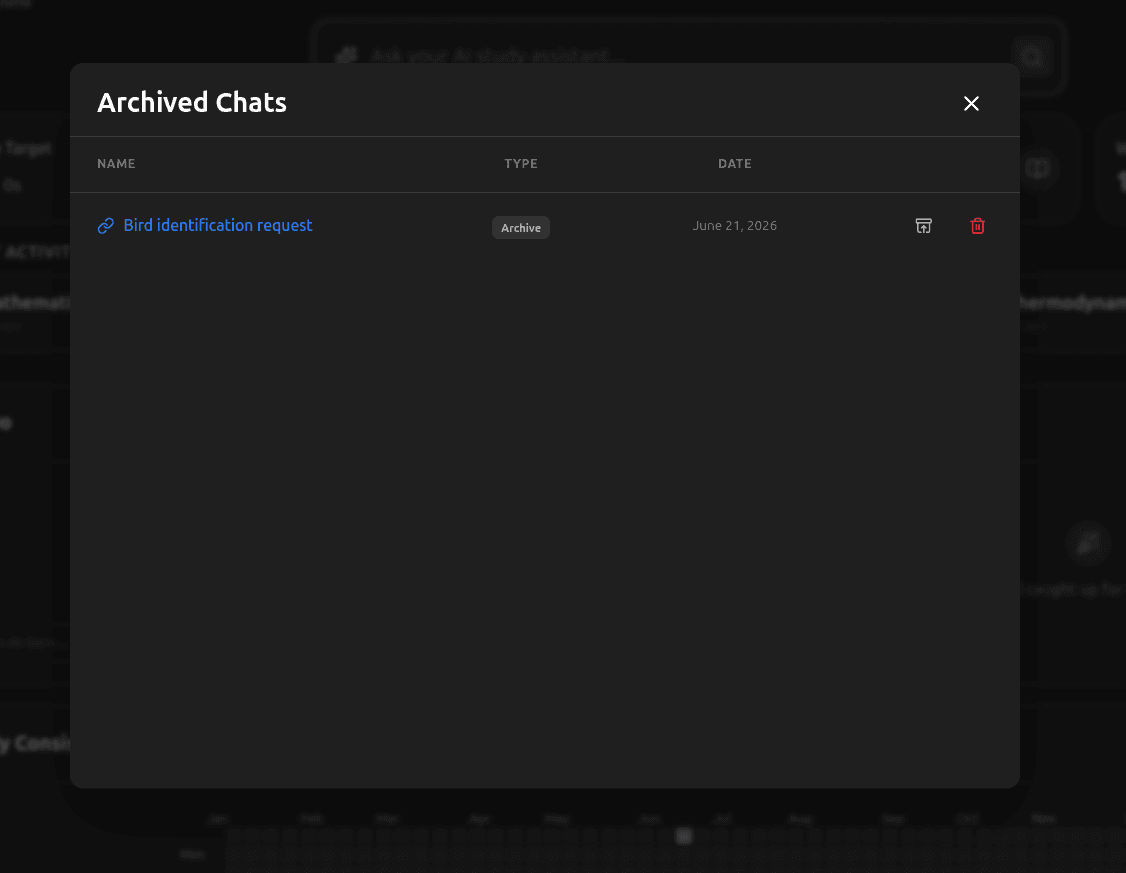
Archived Chats Dashboard
Access previous AI conversation topics that you marked as resolved or chose to temporarily hide from the active workspace sidebar view.
Archive All Chats
Reset active study sessions instantly by archiving all existing conversation tabs, letting you start new school semesters with a clean slate.
Data Control 04
Permanent Storage Erasure
Wipe sensitive files, delete old study records, and clean local device caches forever. We guarantee direct disk-level purging for deleted data to honor privacy regulations.
Delete Archived Chats
Permanently erase all archived discussion threads from our secure databases. This action is irreversible and immediately wipes all metadata logs.
Parental Mode 01
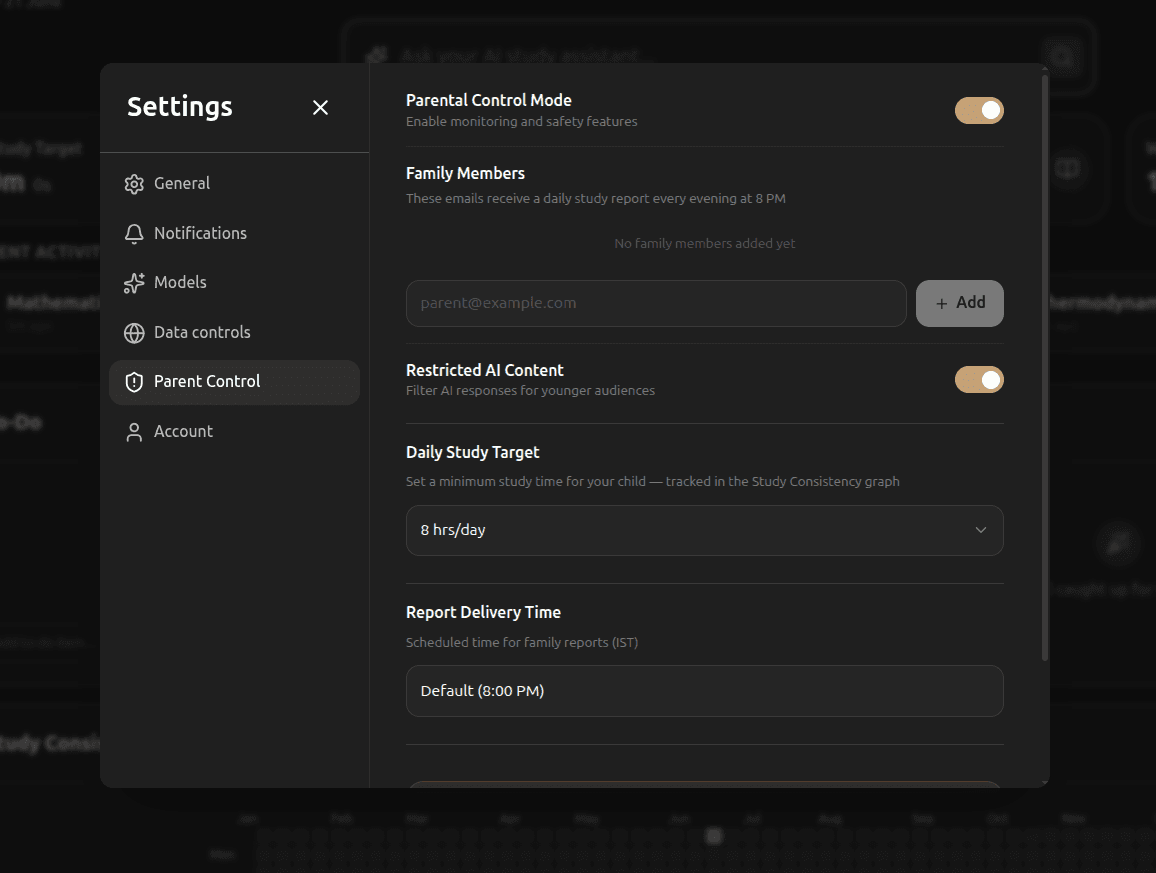
Family Members & Daily Reports
Keep everyone in the loop. Register guardian email addresses to automatically send detailed performance updates every evening. Parents and educators can stay informed on quiz performance, completed notes, and focus durations without interfering with study flow.
Registered Recipients
Configure designated family email accounts. Registered members receive study summaries and achievement reports automatically every evening.
Guardian Management
Easily add new guardian, tutor, or counselor emails to the list to receive child activity metrics and feedback reports automatically.
Parental Mode 02
Restricted AI Content
Ensure a safe learning environment. Filter AI teacher queries and note completions for younger age groups. Our safety filters block non-academic content and restrict explanations to student-friendly languages.
Content Moderation Filters
Automatically filter notes text, chat responses, and practice questions to provide age-appropriate explanations and textbook help.
Focus Preservation Modes
Block casual chat topics and non-educational prompt threads to keep the AI teacher sessions centered entirely on active study materials.
Parental Mode 03
Daily Study Target
Help your child build consistent study schedules. Set target focus durations tracked directly on consistency graphs. Give students clear milestones to hit every day to establish productive habits.
Minimum Target Duration
Configure minimum target study durations (e.g., 2 hrs/day) to guide daily focus times and track completion on consistency boards.
Consistency Mapping
Compare daily target goals against actual study hours in the consistency graphs, showing completed streaks and focus records.
Parental Mode 04
Report Delivery & Schedule
Every day at 8:00 PM IST, added family members receive an automated email summarizing daily progress metrics. Keep progress reports predictable and scheduled.
Report Delivery Time
Schedule daily email delivery schedules. Defaults to 8:00 PM IST to review study consistency metrics during family discussions.
Performance Summaries
Sent emails aggregate completed quiz scores, note creation counts, active Pomodoro study time, and identified weak topic warning summaries.
Everything you need
One app. Every study tool.
From AI-powered notes to smart scheduling, Azviq has every tool you need to study smarter, not harder.
Dashboard
Your study command center
See everything at a glance. Study time, due tasks, revision schedule, AI suggestions, and your consistency heatmap — all in one place.
AI Chat
Ask your AI tutor anything
Chat with an AI that understands your note pages, files, and lectures to help you study smarter.
Library
All notes in one place
Store notes, PDFs, external workspaces and study materials — completely organized and searchable.
Tasks
Manage projects & tasks
Sleek Kanban boards for your active projects. Track progress from Not Started to Done easily.
Preparation
Practice, revise, master
AI-generated exercises, flashcards, active recall reviews, and an AI Study Teacher that adapts dynamically to your weak areas and learning pace.
Pricing Plans
Simple, transparent pricing.
Choose the perfect plan for your academic goals. Secure checkout powered by Razorpay.
Frequently Asked Questions
Got questions? We've got answers.
Everything you need to know about the ultimate AI study companion.
Get started today
Stop studying harder.
Start studying smarter.
Join Azviq for free. No credit card required.
Get Started Free →Free forever · AI-powered · Built for students